![dooap-logo-black-1.jpg]](https://help.dooap.com/hs-fs/hubfs/dooap-logo-black-1.jpg?height=40&name=dooap-logo-black-1.jpg)
When an invoice is being transferred, there is a possibility that there is an error during the transfer for a number of reasons. Regardless of the reason, the batch will appear in RED and the transfer status will read - 'Transferred with error response'. If the user wants to fix the invoice in Dooap, they can return the invoice back to Approved.
For more information about re-transferring an invoice from Dooap to D365, please click here
Once the invoice is returned from the transferred section back to the Approved section, there will be a warning message on the invoice stating that is has already been transferred, however, this is just a warning and the user may still re-transfer the invoice. *Before re-transferring the invoice, please ensure the pending invoice has been deleted in D365 to avoid duplicates.
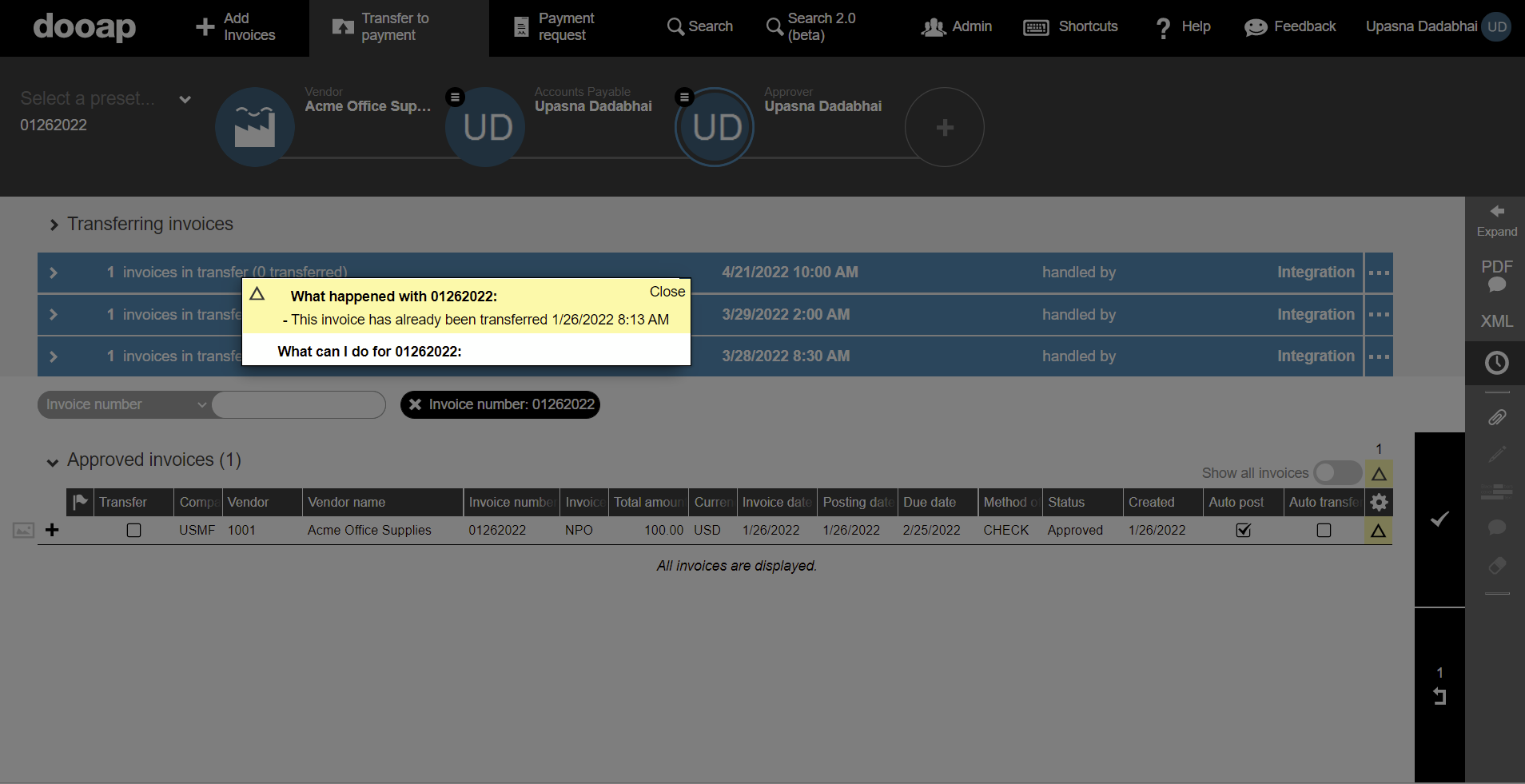
Once the invoice is re-transferred, a new batch will be created and the batch color will indicate whether the batch was sent sucessfully (Green = transferred sucessfully; Red = transferred with error response; Blue = waiting for pickup).