![dooap-logo-black-1.jpg]](https://help.dooap.com/hs-fs/hubfs/dooap-logo-black-1.jpg?height=40&name=dooap-logo-black-1.jpg)
The VAT number validation feature compares the vendor’s tax registration number in the vendor master data with the number on the invoice. A warning is displayed if the numbers do not match. A history log entry is also created for the validation.
Configuration
To enable the feature, please contact Dooap support via email support@dooap.com.
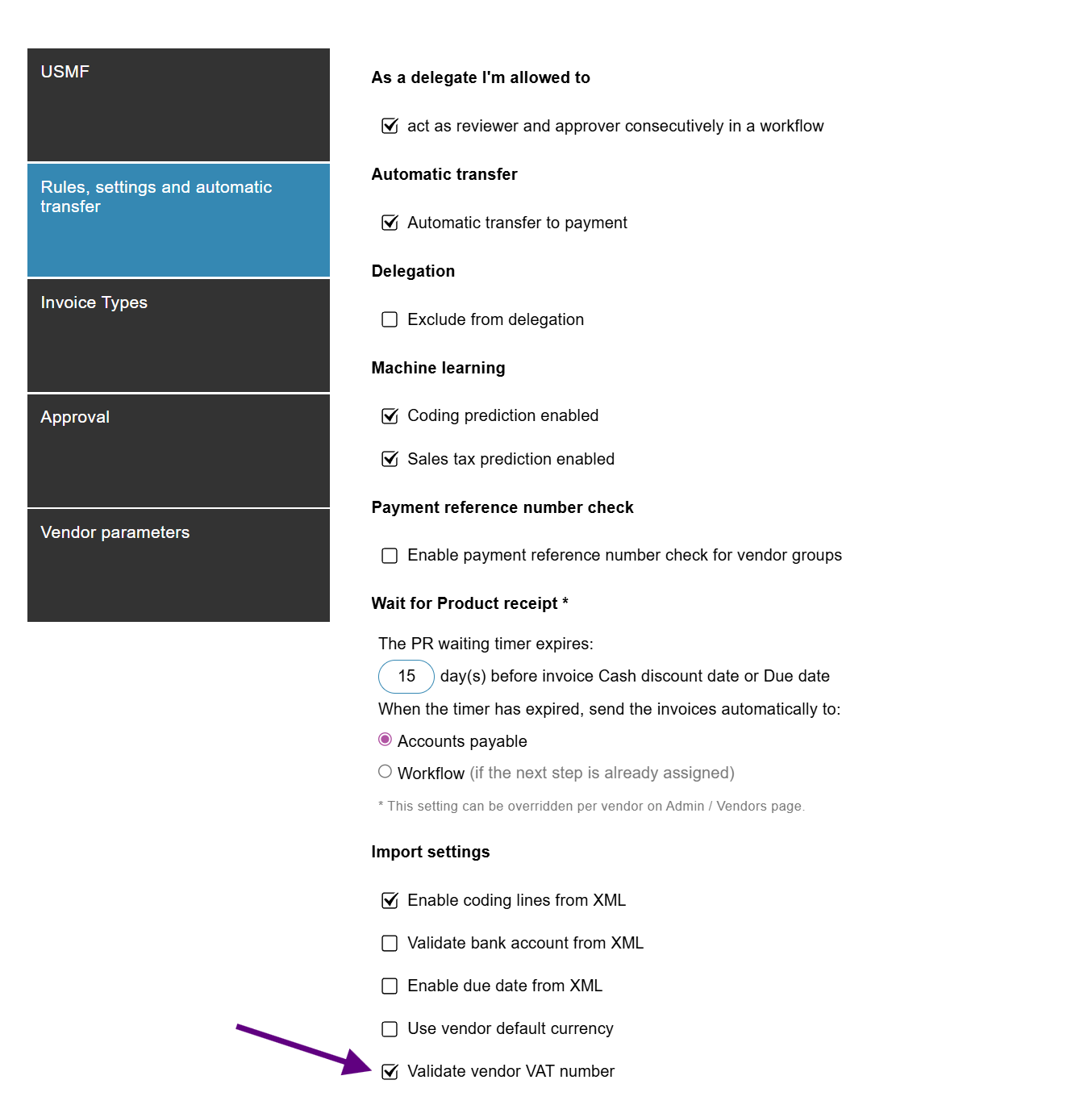
After the feature is enabled, activate the validation on company-level by navigating to Admin > Companies > Rules, settings and automatic transfer > Import settings and enabling "Validate vendor VAT number".
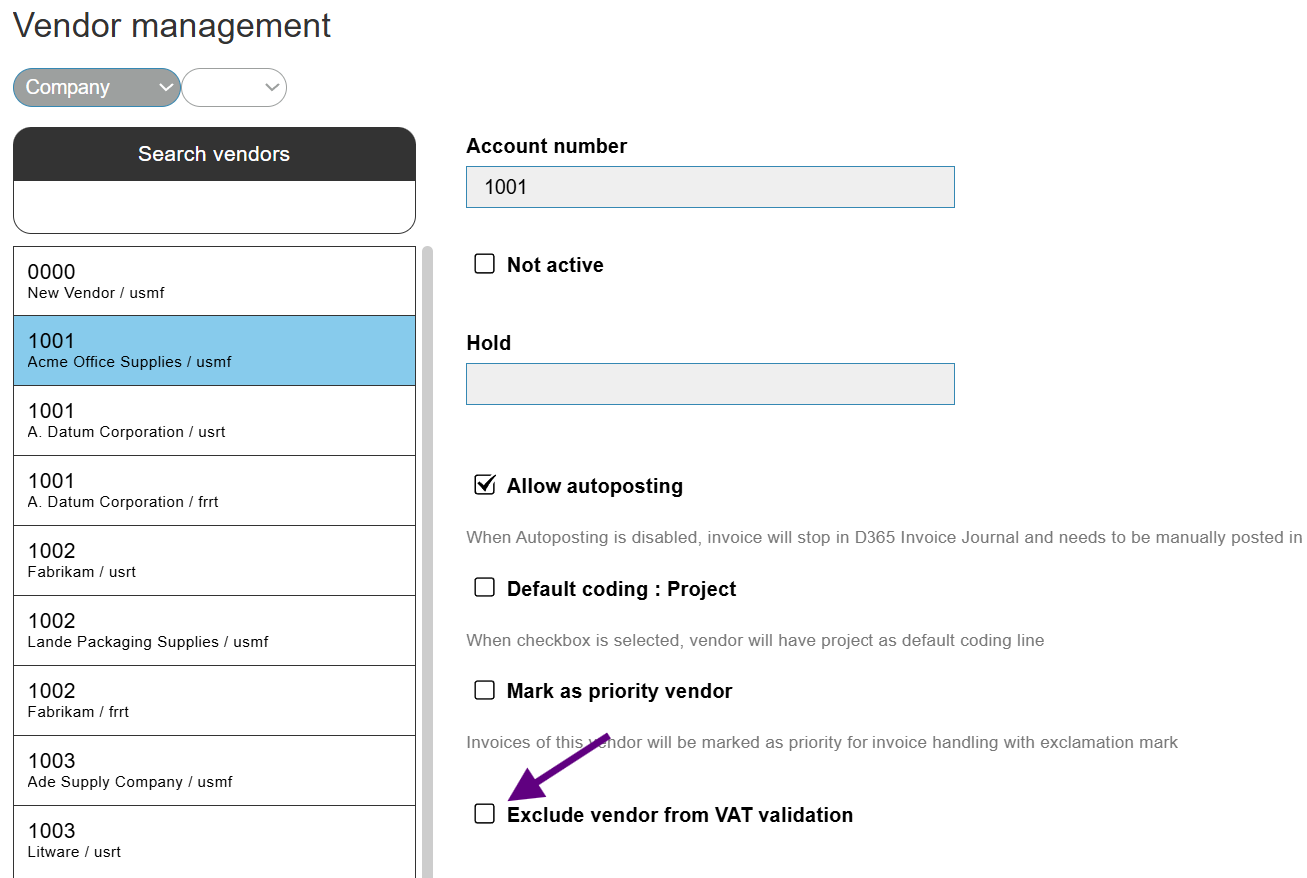
If you want to exclude a vendor from the validation, navigate to Admin > Vendors > Select the vendor and enable "Exlude vendor from VAT validation".
The validation will affect any new invoices, not existing ones.