![dooap-logo-black-1.jpg]](https://help.dooap.com/hs-fs/hubfs/dooap-logo-black-1.jpg?height=40&name=dooap-logo-black-1.jpg)
Dooap identifies duplicate invoices within the same legal entity by comparing the vendor account and invoice number.
Dooap can also detect duplicate invoices across all legal entities within the same fiscal year. This feature is not enabled by default. To activate it, contact Dooap Support at support@dooap.com.
Configuration
To display duplicate invoice notifications in Dooap, the duplicate check parameter must be enabled in D365/AX 2012 Accounts Payable.
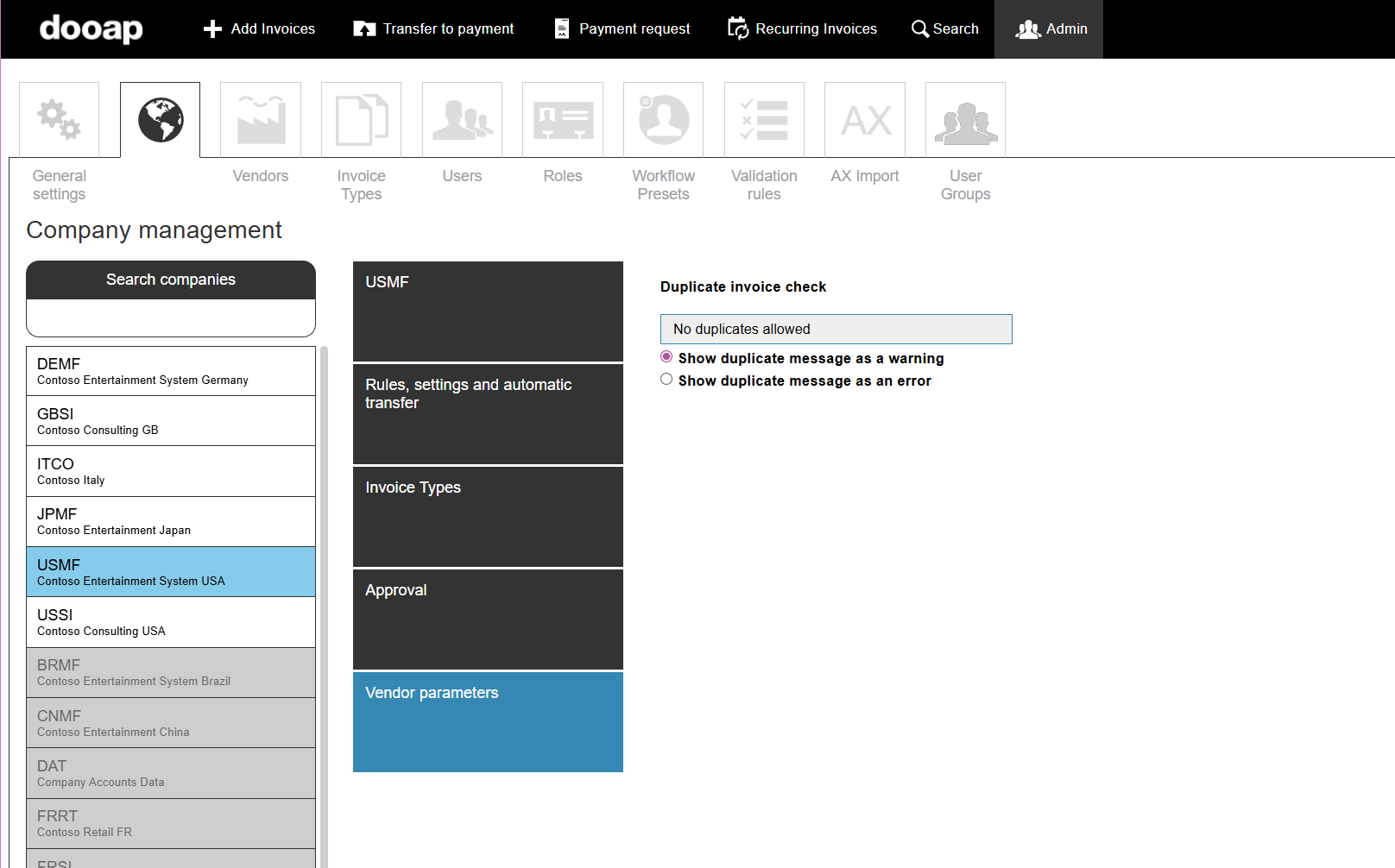
You can configure duplicate invoices to appear either as a warning or an error in Admin > Companies > select a company > Vendor parameters.
-
An error prevents further invoice processing, such as sending the invoice to the workflow.
-
A warning informs the user about the duplicate but does not block processing.
Notification
If an invoice from the same vendor has an invoice number that already exists in the system, Dooap highlights the invoice number and displays either a warning or an error, depending on the configuration in Admin.
Error:

Warning:
